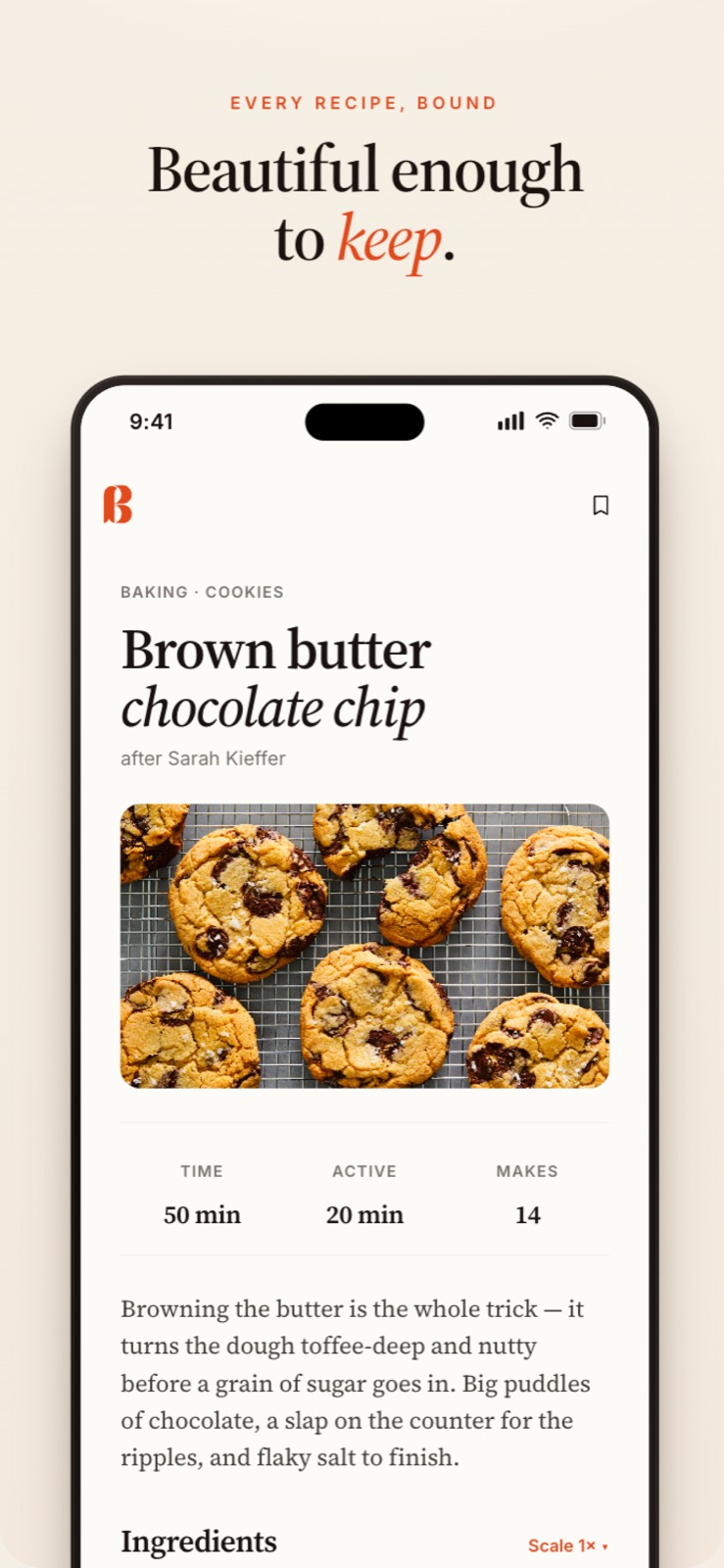
the ingredients and steps, ad-free.

All of your favourite recipes, on one tidy shelf.

Paste from any cooking blog or site. Snap your grandma's handwritten recipe card. Read the steps aloud while your hands are floury. No ads. No popups. Just the recipe.

Start your shelf Download on theApp Store Get it onGoogle Play
Free to start, no card needed. Works on iPhone, Android, and web.
Recipe sites are doom-scroll ad farms. A life story before the ingredient list. Popups between steps. Layouts designed for ad impressions, not cooking. Bakemark is the opposite.
the whole pitch
01your ad-free recipe vault.

Paste a link. We'll do the typing.

Drop any URL into the box. Bakemark reads the page (schema, meta, the actual words) and fills in the title, time, ingredients, steps, and tags. Review for thirty seconds, save.

add a recipe

Let’s cook something.

https://smittenkitchen.com/2023/03/pici-al-limone/
parsed in 1.2s
Pici al limone
9 ingredients · 6 steps · 25 min · serves 2
pastaweeknight30-min
Grandma's gingerbread
2 c flour
1 t ginger
½ t cinnamon
1 stick butter
¾ c brown sugar
¼ c molasses
bake 350 / 12 min...
transcribed
Grandma's gingerbread
2 cups flour
1 tsp ginger
½ tsp cinnamon
1 stick unsalted butter
¾ cup brown sugar
¼ cup molasses
and 4 method steps
02ai recipe clipper.

Snap a card. Even Grandma's handwriting.

Point your camera at the recipe card on the fridge, the magazine page, the back of the box of cocoa. Bakemark transcribes it. It learns the messy stuff most apps choke on.

03hands-free

Read the steps aloud. Hands stay floury.

Cooking mode is one big step at a time, in serif type readable from arm's length. Voice reads each step on cue. The screen stays awake. The next step lands when you say 'next.'

step 03 · of 6

Build the sauce.

Butter and shallot in a wide pan, gentle heat, until the shallot is translucent, about four minutes.

voice on · "Hey Bakemark, next"
chrome browser extension

On your laptop? Save it without leaving the page.

Reading a recipe in your browser (a food blog, NYT Cooking, anywhere), click Bakemark in your toolbar. It reads the page right there, shows a quick preview, and saves it to your shelf. No copy-paste, no new tab. Even on the sites you’re signed into.

Add to Chrome
Works in Chrome, Edge, Arc & Brave.
vs.

Designed for cooks. Not for ad impressions.

Most recipe sites
  • Half a page of life story before the ingredients
  • A popup as you scroll past the title
  • A video that autoplays with sound
  • Three banner ads above the fold
  • A newsletter modal at step 4
  • Layout changes daily for ad testing
Bakemark
  • Recipe. Title. Ingredients. Steps.
  • No popups, ever
  • Hands-free voice instead of video
  • No ads. Anywhere. Forever
  • No newsletter you didn't ask for
  • Same calm layout every visit
how it works

Ninety seconds. Then your shelf is real.

01
Sign in with email
An eight-digit code arrives. No password. No marketing list.
02
Bring the recipes you love
Paste a link. Snap a card. Forward an email. They appear on your shelf in seconds.
03
Cook tonight
Hit Start cooking. Read aloud. We keep the screen awake. The shelf updates itself.
A recipe open in the Bakemark iPhone app
on the go

And it’s in your pocket, too.

The same calm shelf as a native iPhone app. Cook hands-free at the stove, snap a card at your mom’s, and everything syncs back to the web. Free on the App Store and Google Play.

pricing

Free to cook. Unlimited if you want it.

Everything you need to save, organize, and cook is free. Power users who lean on AI imports can go Unlimited, which keeps Bakemark independent and ad-free.

Free
$0forever
No card. No catch.
  • Unlimited recipes, folders, and shopping lists
  • Paste any cooking-site link, unlimited and always free
  • 5 AI imports a month: photo, PDF, and tricky links
  • Hands-free cook mode with read-aloud
  • Syncs across iPhone and web
  • No ads. No popups. Ever.
Start your shelf

Unlimited is billed on the web through Stripe, and unlocks on your iPhone automatically. Cancel anytime.

questions

Honest answers.

Is it really free?
Yes. Saving, organizing, and cooking your recipes is free, with no ads, ever. If you lean hard on the AI photo & PDF imports, there’s an optional Unlimited upgrade. The everyday stuff stays free.
What counts as an AI import?
Pasting a normal recipe link is always free and unlimited. AI imports are for the harder stuff: a photo of a handwritten card, a PDF, or a messy page the quick reader can’t crack. Free accounts get 5 a month, and Unlimited removes the cap.
Where do recipes live?
In Supabase, encrypted, tied to your email. Export your shelf as JSON at any time. Delete your account and we delete everything.
Does it work without internet?
The iOS app has full offline reading. Capture (link / photo parsing) needs a connection, but you can save a draft offline and process later.
What about my old recipes on AllRecipes / Paprika / Pinterest?
Paste the link, snap the printed page, or forward the email. Bulk import from Paprika is on the way.

Build the cookbook you'd actually open.

Start your shelf
Free to use. Get started in 90 seconds.